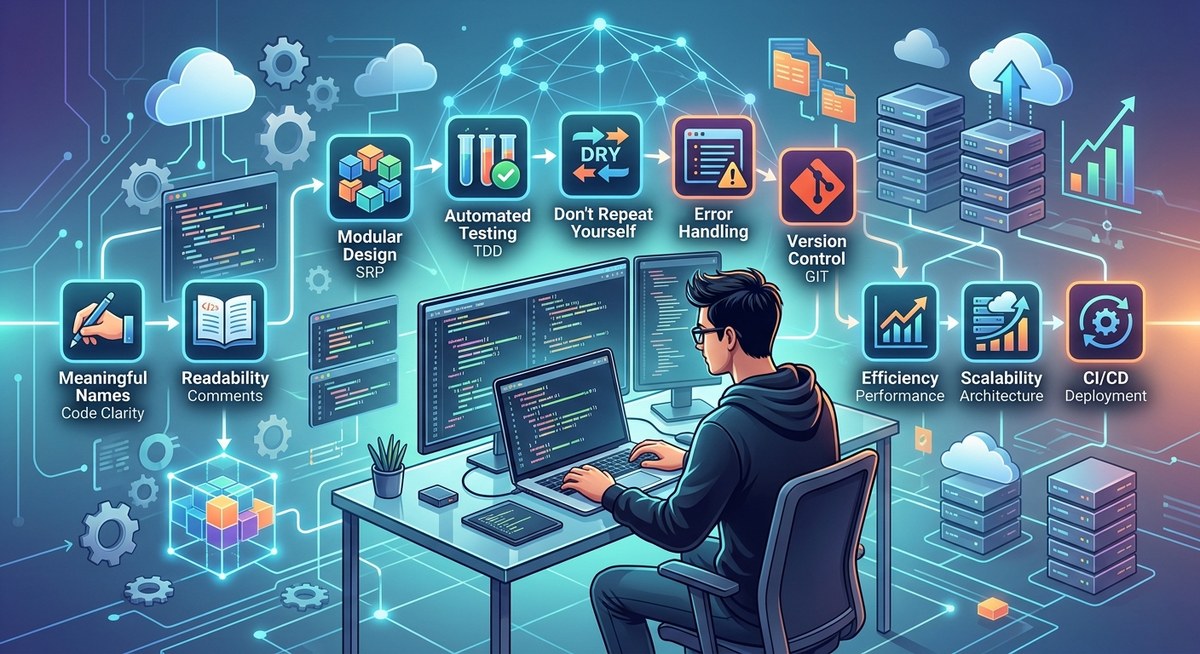
Every developer knows the feeling of opening a codebase that looks like a tangled mess. You spend more time deciphering variable names than solving real problems. That’s where clean code best practices come in. They’re not just about aesthetics; they are the foundation for software that scales without crumbling under its own complexity. Good code communicates intent. It makes future you (and your teammates) grateful instead of annoyed. Let’s walk through the principles that separate production-grade systems from painful legacy piles.
Clean code best practices revolve around naming with purpose, keeping functions tiny, avoiding repetition, writing tests early, and refactoring often. You don’t need to rewrite everything at once. Use consistent formatting, handle errors gracefully, reduce nesting, limit dependencies, and document sparingly. Each practice reduces cognitive load and makes scaling a natural byproduct. Start with one habit today.
Why Clean Code Is a Scaling Superpower
Scaling isn’t just about adding servers. It’s about adding people, features, and changes without breaking everything. When code is messy, every new feature takes twice as long and introduces bugs. Clean code shortens feedback loops. It makes debugging faster and onboarding smoother. Think of it as an investment: a few extra minutes today saves hours next month. Teams that adopt clean code best practices ship more reliably and burn out less.
The Ten Core Practices That Work in 2026
These aren’t theoretical rules. They’re battle-tested patterns used by teams shipping production software every day. Apply them one at a time.
1. Name Things Like Your Career Depends on It
Variable and function names are your primary documentation. int d; is meaningless. int daysUntilExpiry; tells the whole story. A good name eliminates the need for a comment. When you name something, ask: “Will someone reading this six months from now know what it does?” If the answer is no, rename it.
2. Keep Functions Microscopic
A function should do one thing and do it well. If you have to scroll to see the whole function, it’s too long. The sweet spot is under 20 lines. Break larger functions into smaller helpers. Each helper becomes a reusable building block.
3. Write Tests Before Code (Yes, Really)
Test-driven development isn’t a fad. Writing a failing test first forces you to think about the contract before the implementation. It also guarantees test coverage from day one. You’ll catch edge cases early, and your code becomes naturally more modular because tight coupling is hard to test.
4. Refactor in Small, Safe Steps
Refactoring doesn’t mean a massive rewrite. Change one function at a time. Rename a variable. Extract a loop. Run your tests after each change. This keeps the system stable and makes improvements incremental. Try to leave code slightly cleaner than you found it.
5. Avoid Deep Nesting Like a Trap
Nested conditionals and loops hide bugs. Aim for no more than two levels of nesting. Use early returns, guard clauses, and extract methods to flatten logic. Your colleagues will thank you when they don’t need to track four levels of if blocks.
6. Stick to One Formatting Style
Consistency reduces mental overhead. Choose an indentation style (spaces vs. tabs, 2 vs. 4 spaces) and enforce it with a linter. The same goes for bracket placement, line length, and naming conventions. A code style guide makes PRs about logic, not whitespace.
7. Repeat Yourself Only When Necessary
The DRY principle (Don’t Repeat Yourself) is famous for a reason. Duplicate code means duplicate bugs. When you find yourself copying and pasting, abstract the logic into a shared function or module. But don’t overdo it: a little duplication is better than the wrong abstraction.
8. Handle Errors Gracefully at the Edges
Don’t let errors crash your whole system. Validate inputs early. Use exceptions or result types consistently. Write error handling once per failure path, not scattered across the call stack. Clean error messages make debugging 80% easier.
9. Keep Dependencies Lean
Every library you add is a maintenance liability. Before adding a new dependency, ask: “Can I write this in 20 lines of standard library code?” Often you can. Fewer dependencies mean faster builds, fewer security updates, and easier upgrades.
10. Comment the Why, Not the What
Good code should be self-explanatory. Comments are for explaining why a particular approach was chosen, especially if it looks unusual. Avoid commenting “set x to 5” when the code already says x = 5. Instead, comment “using a hardcoded value because the API returns inconsistent data before version 2.0”.
A Practical Process for Adopting These Practices
You can’t overhaul everything overnight. Here’s a step-by-step process that works:
- Audit your current codebase for the top three pain points (e.g., long functions, poor naming, no tests).
- Pick one practice to focus on for a week. For example, rename variables in every file you touch.
- Set up automated tooling — linters, formatters, and test coverage gates.
- Review code with a checklist that includes these practices.
- Celebrate small wins. After two weeks, you’ll notice the difference.
Common Mistakes That Undermine Clean Code
Even experienced developers slip into bad habits. Watch out for these pitfalls:
- Over-engineering solutions for “future-proofing” that never materialize.
- Premature optimization that makes code cryptic.
- Ignoring existing style conventions in a project.
- Writing comments that restate the obvious.
- Refactoring without tests (dangerous).
- Adding layers of abstraction that hide logic.
Clean Code Techniques vs. Common Mistakes: A Reference Table
| Technique | What It Does | Common Mistake |
|---|---|---|
| Meaningful names | Reveals intent | Using abbreviations or single letters |
| Small functions | Limits cognitive load | Creating functions with side effects |
| Early returns | Flattens nesting | Using deep if-else chains |
| DRY principle | Reduces duplication | Premature abstraction causing complexity |
| Test first | Ensures coverage | Writing tests after code (often skipped) |
| Error handling | Prevents crashes | Swallowing exceptions silently |
| Dependency control | Minimizes risk | Piling on libraries without review |
| Consistent formatting | Improves readability | Mixing styles across files |
| Refactoring incrementally | Sustains quality | Waiting for a “big cleanup” sprint |
| Minimal comments | Reduces noise | Over-documenting trivial code |
Expert Advice from the Trenches
“Clean code isn’t about being fancy. It’s about being boringly predictable. When every function follows the same pattern, your brain doesn’t waste energy on the ‘how’ — it focuses on the ‘what’. That’s how you scale a team.”
— Senior engineer at a major tech company (paraphrased from internal talk)
This aligns perfectly with why are essential foundations. Once you internalize these habits, they become second nature.
Build a Clean Code Culture on Your Team
Individual effort only goes so far. To make clean code last, you need team buy-in. Here are a few ways to shift the culture:
- Make PRs about learning, not blaming. Ask “what do you think of extracting this method?” instead of “this is wrong.”
- Pair program on complex changes. Two sets of eyes catch style issues early.
- Share resources like this guide and encourage everyone to read them.
- Use automated formatting so human reviews focus on logic.
If you’re building a new project from scratch, consider starting with a strong foundation. A good starting point is if you want performance and safety, or for large JavaScript ecosystems. Both languages encourage clean patterns.
Putting Clean Code Best Practices Into Daily Use
Don’t try to adopt all ten practices at once. It’s overwhelming and unsustainable. Choose one practice that will give you the biggest immediate payoff. Maybe that’s naming. Maybe it’s writing a single test per feature. Do that for a week. Then add another. Within a month, your codebase will feel lighter. Within a quarter, you’ll wonder how you ever worked any other way.
Start today. Open up the file you’re working on. Find one messy name. Change it. Run the tests. That single action is the beginning of code that scales.