WebAssembly is transforming the way web developers approach high-performance applications. It offers a way to run code at near-native speeds within browsers, opening new possibilities for interactive, compute-heavy web experiences. Whether you’re a JavaScript developer looking to optimize critical parts of your code or a programmer exploring cross-platform solutions, understanding WebAssembly fundamentals is essential. This guide dives into the core concepts, practical steps, and common pitfalls to help you leverage WebAssembly effectively in your projects.
WebAssembly offers a portable, fast, and safe way to run low-level code in browsers. Grasping its core concepts enables web developers to optimize performance and expand their application capabilities beyond traditional JavaScript limits.
Understanding what WebAssembly is and why it matters
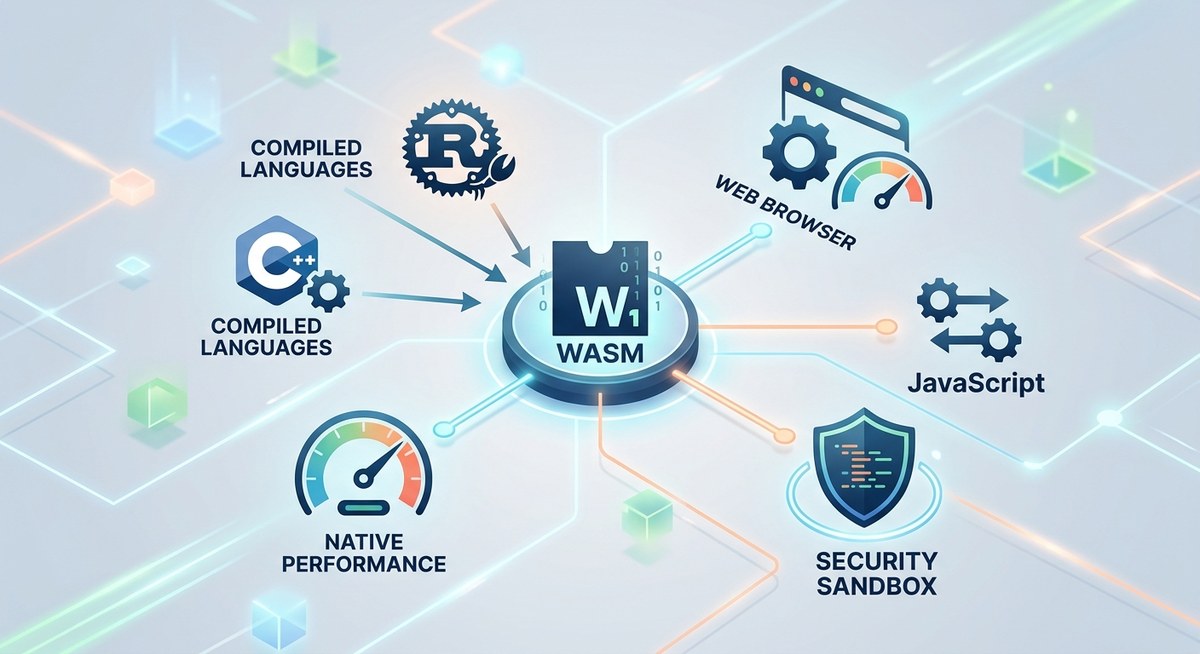
WebAssembly, often abbreviated as Wasm, is a binary instruction format designed for high-performance web applications. Unlike JavaScript, which is an interpreted language, WebAssembly executes in a sandboxed environment that provides near-native speed. This makes it ideal for tasks like gaming, 3D rendering, video editing, and scientific computations directly in the browser.
At its core, WebAssembly is a compilation target. Developers write code in languages such as C, C++, or Rust, then compile that code into WebAssembly modules. These modules can run alongside JavaScript, with seamless communication between the two. This interoperability allows developers to optimize performance-critical parts of their web apps while maintaining the flexibility of JavaScript.
The core concepts behind WebAssembly
To understand WebAssembly fundamentals for web development, it’s crucial to grasp some key ideas:
- Wasm bytecode: The compiled code runs as compact binary files, which browsers load and execute efficiently.
- Compilation target: WebAssembly is not meant to replace JavaScript but complements it by providing a low-level target for other languages.
- Language support: While originally designed for C and C++, WebAssembly now supports Rust, C#, and others, making it versatile for various development needs.
- Modules: WebAssembly code is packaged into modules, which can be loaded, instantiated, and executed in the browser.
- Interoperability: Passing data and calling functions between JavaScript and WebAssembly modules is straightforward once you understand the memory model.
How to incorporate WebAssembly into your web projects
Incorporating WebAssembly involves several steps. Here’s a practical approach:
- Write or obtain WebAssembly modules: Use a language like C or Rust to write code that performs the heavy lifting in your application.
- Compile your code into WebAssembly: Use tools like Emscripten for C/C++ or wasm-pack for Rust to generate
.wasmfiles. - Load and instantiate modules in your browser: Use JavaScript’s
WebAssembly.instantiateStreaming()method to load your module efficiently. - Communicate between JavaScript and WebAssembly: Use the module’s exported functions and shared memory to pass data back and forth.
- Optimize for performance: Minimize data copying and utilize features like WebAssembly threads and SIMD for advanced performance gains.
Practical steps to get started
- Write your core logic in a language supported by WebAssembly.
- Compile it into a
.wasmfile using the appropriate toolchain. - Load the module in your web app with code like:
fetch('your_module.wasm')
  .then(response => response.arrayBuffer())
  .then(bytes => WebAssembly.instantiate(bytes))
  .then(results => {
    const { exports } = results.instance;
    // Call exported functions here
  });
- Pass data efficiently by sharing memory buffers.
- Integrate with JavaScript for UI updates or event handling.
Common pitfalls and mistakes to avoid
WebAssembly is powerful but easy to misuse. Here are some common mistakes:
| Mistake | Why it’s a problem | How to avoid it |
|---|---|---|
| Not managing memory properly | Memory leaks or corruption | Use shared memory carefully and free unused buffers |
| Ignoring browser compatibility | Some features may not work everywhere | Check browser support and fallback gracefully |
| Overusing WebAssembly for simple tasks | Adds unnecessary complexity | Use WebAssembly for compute-heavy operations only |
| Not optimizing data transfer | Performance bottlenecks | Minimize data copying and use typed arrays |
| Skipping security considerations | Potential vulnerabilities | Validate inputs and sandbox modules carefully |
Expert advice
“WebAssembly is not a magic bullet. It’s a tool that, when used correctly, can significantly boost performance. Always profile your application to see if moving parts to WebAssembly is justified.”
Techniques and common mistakes in WebAssembly development
| Technique | Mistake | Explanation |
|---|---|---|
| Use of shared memory | Forgetting to align buffers | Proper alignment improves performance and prevents errors |
| Modular design | Writing monolithic modules | Break down large modules for maintainability |
| Using SIMD instructions | Overlooking browser support | Check compatibility before implementing advanced features |
| Proper error handling | Ignoring WebAssembly exceptions | Handle errors gracefully to avoid application crashes |
Practical tips for mastering WebAssembly fundamentals
- Start small: Convert a simple computational function to WebAssembly before tackling bigger parts.
- Use tools: Leverage wasm-pack or Emscripten to streamline compilation.
- Profile regularly: Use browser developer tools to identify bottlenecks.
- Test across browsers: Compatibility varies; test thoroughly.
- Join communities: Engage with forums like the WebAssembly subreddit for tips and updates.
Wrapping up your WebAssembly journey
Getting a solid grasp of WebAssembly fundamentals for web development opens doors to building faster, more responsive web applications. Focus on understanding how modules work, how to communicate between JavaScript and WebAssembly, and how to optimize data flow. As you experiment with different languages and features, you’ll discover new ways to push the performance limits of your web projects.
Remember, WebAssembly is a complementary technology. Use it where it makes sense and integrate it smoothly into your existing workflows. With patience and practice, you’ll unlock new capabilities that elevate your web development skills and produce richer user experiences.
Keep building and experimenting
Applying WebAssembly fundamentals in real projects takes time. Keep exploring, testing, and refining your approach. Whether you aim to optimize game engines, scientific simulations, or multimedia tools, WebAssembly can be a game-changer. Embrace its core concepts, avoid common pitfalls, and stay curious about the evolving features. Your next high-performance web app is just a few steps away.