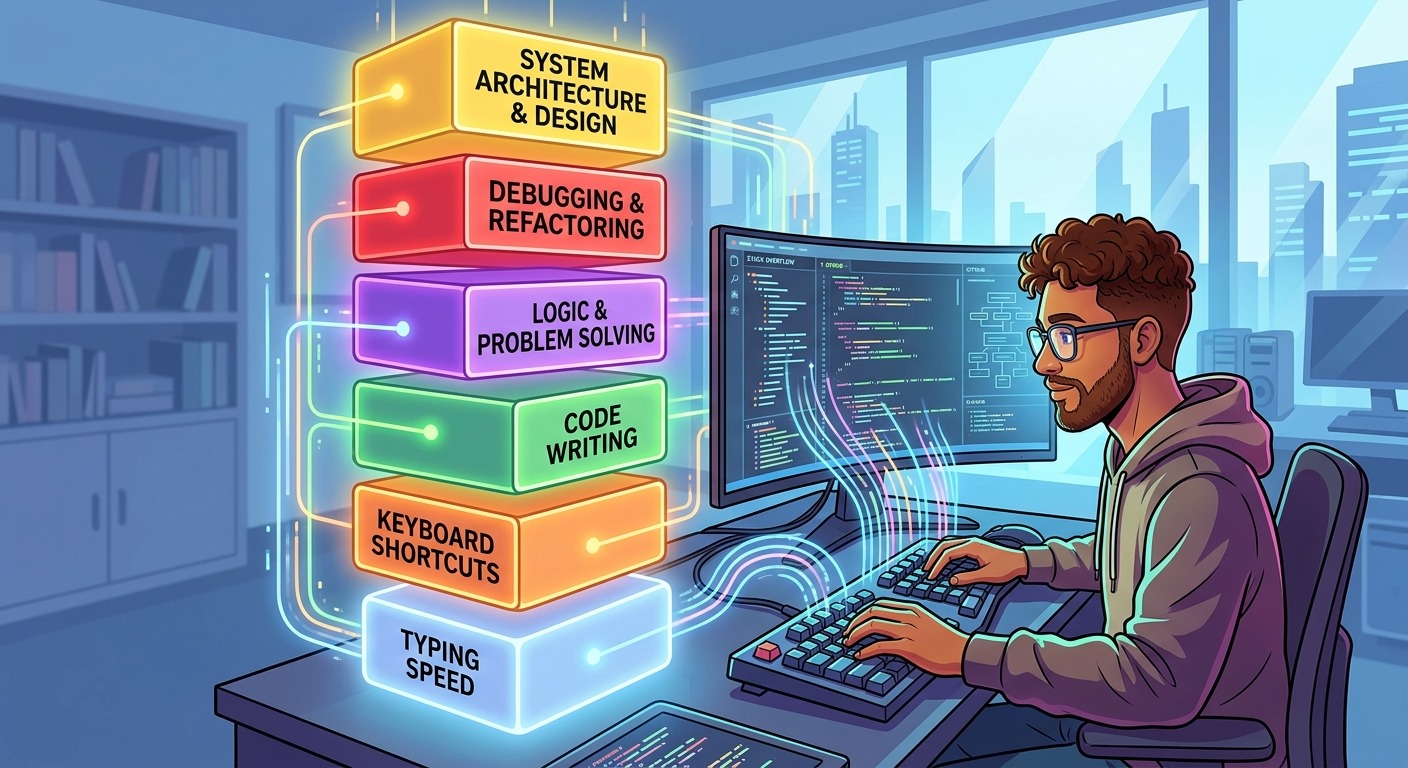
Most engineers spend years tuning their tools. They optimize database queries, refine build pipelines, and shave seconds off CI runs. Then they sit down, open a new file, and start laboring through a boilerplate class with three backspaces per line. The input layer, the physical act of translating intent into keystrokes, rarely gets the same systematic attention as the rest of the stack. That gap costs more than most developers realize.
At a Glance
- Developer throughput has four auditable input-layer components: raw typing speed, keyboard shortcuts, terminal fluency, and editor muscle memory.
- Each component compounds on the others, so even modest gains at one level multiply through the entire workflow.
- Code typing demands differ from prose typing, with heavy emphasis on symbol accuracy, bracket velocity, and punctuation consistency.
- IDE profilers and time trackers measure none of these input-layer signals, leaving a persistent blind spot in developer metrics.
- Benchmarking your typing performance is a low-effort, high-signal starting point for locating specific, actionable weak spots.
The Four Input-Layer Variables That Shape Developer Throughput
Developer productivity is most often framed as a tooling problem. Use a faster IDE. Choose a compiled language. Invest in better hardware. But tools are only as fast as the person using them. The input layer, everything between a developer’s intent and what appears on screen, carries four distinct variables, each with measurable weight in the overall throughput equation.
The first is raw typing speed. This is the baseline. It sets the ceiling on how fast ideas can become keystrokes under any conditions. The second is keyboard shortcut coverage, which determines how often a developer can skip entire sequences of individual keystrokes. The third is terminal fluency: command recall depth, shell scripting muscle memory, and the ability to navigate complex pipelines without pausing to look up syntax. The fourth is editor muscle memory, the automatic ability to navigate files, jump to definitions, rename symbols, and trigger refactors without breaking flow.
These four variables do not operate in isolation. Raw typing speed amplifies the value of shortcuts. Terminal fluency compounds with editor muscle memory when context switches happen in rapid succession. Improving one without attending to the others leaves gains on the table. The key insight is that all four can be audited and systematically trained. None require a specialized background or unusual hardware. They only require deliberate attention.
Why Keyboard Shortcuts Are Not the Whole Answer
Keyboard shortcuts absorb most of the developer productivity conversation, and for legitimate reasons. Replacing mouse-heavy workflows with chord sequences produces visible, immediate improvements. Research into developer workflow consistently finds that context switching between keyboard and pointing device carries a cognitive overhead that compounds across a full working day.
But shortcut knowledge has a natural ceiling. After learning the forty or so shortcuts that cover 90% of daily editor actions, the marginal return from adding more drops fast. At that point, the bottleneck shifts back down to raw input. How fast do those shortcuts actually execute? How accurately do you type the code between them? How quickly do you recover from a misfire without breaking concentration?
This is where typing speed and accuracy begin to matter in ways that shortcut drills alone cannot address. A developer typing at 45 WPM with flawless shortcut coverage is still slower than one at 85 WPM with identical shortcuts. The two skills are not interchangeable. They stack. Building shortcut fluency without attending to typing speed is like tuning a cache layer without addressing the slow queries underneath it.
Terminal Fluency and the Hidden Cost of Hesitation
The terminal is where a large share of a developer’s day actually lives. Git operations, build commands, SSH sessions, environment management, log inspection, deployment scripts. Every pause to recall a flag or hunt for a command costs more than the raw seconds it consumes. The hesitation breaks the mental model you are holding, and rebuilding that model carries a real cognitive price.
Terminal fluency is distinct from general typing speed in one important respect. Terminal commands are usually short but highly error-sensitive. A single wrong character in a path or a transposed flag can send a debugging session in an entirely wrong direction. Fluency here means typing accurately enough at speed that the error rate stays low even during fast, high-stakes sequences.
Developers who have limited terminal fluency tend to compensate in one of two ways: typing deliberately slowly to avoid mistakes, or migrating to GUI tools that trade throughput for safety. Both are valid responses under pressure. Neither is a satisfying long-term resolution. Fluency built through deliberate practice eliminates the tradeoff rather than managing around it.
Editor Muscle Memory as a Compounding Skill
Opening a file, jumping to a definition, selecting a block, renaming a symbol, triggering autocomplete: these actions happen dozens or hundreds of times per hour in active development. When fully automatic, they happen without breaking focus. When they still require conscious thought, that focus degrades a little each time, across every occurrence.
Most developers build editor muscle memory accidentally. They absorb habits from pair programming sessions, stumble on useful shortcuts mid-task, or inherit configurations from a senior colleague. The result is a patchwork: some actions are deeply automatic, others are still semi-conscious, and the gaps often cluster around the actions a developer finds slightly uncomfortable to execute, creating consistent drag on flow.
A systematic approach means auditing which editor actions you perform most often, identifying which ones are still deliberate rather than automatic, and running focused repetition on those specific gaps until they disappear. Formal training in touch typing principles underpins all of this. Without a solid typing foundation, editor muscle memory builds more slowly and sits on less stable ground, making every other layer harder to train.
Benchmarking Your Input Performance: Finding the Actual Weak Spots
Most developer metrics live at a high level of abstraction. Commits per week. PR cycle time. Test coverage percentage. These signals are genuinely useful, but none of them capture anything about the input layer. For that, a different class of measurement is needed entirely.
Typing benchmarks are the right tool, but not all of them surface the same information. Standard prose-focused tests give you a WPM number built on common English words. That number tells you relatively little about how you perform on the characters that fill actual code: curly braces, angle brackets, underscores, pipe characters, colons, semicolons, and backslashes. It also tells you nothing about whether your accuracy degrades after several minutes, which is precisely the condition you are most likely in during a difficult late-session debugging stretch.
Running an advanced typing test that includes code-representative symbols, variable-length sequences, and sustained-duration modes produces a much more granular picture. You find out whether punctuation accuracy specifically is hurting your velocity. You find out whether your speed falls off meaningfully after a few minutes. You identify key combinations that cost you more correction keystrokes than you ever noticed in normal use. Those are exactly the weak spots that IDE profilers and time-tracking dashboards cannot surface, regardless of how detailed their reports become.
What Four Types of Developer Tools Actually Measure
| Tool Type | What It Captures | Input-Layer Gap |
|---|---|---|
| IDE Profiler | Time in files, hotspot functions, language breakdown | Keystroke speed, symbol accuracy, per-session error rate |
| Time Tracker | Active coding hours by project, language, or tag | Quality and velocity of typing during those active hours |
| Git Analytics | Commit frequency, PR throughput, review cycle time | How long each commit took to produce at the keyboard |
| Typing Benchmark | WPM, symbol accuracy, fatigue curve, consistency score | Code quality, design judgment, architectural decisions |
Each tool type fills a different portion of the performance picture. The point is not to replace one with another. It is to add input-layer benchmarking to a metric set that currently has a significant blind spot at the bottom of the stack.
A Prioritized Plan for Building Input-Layer Fluency
Treating typing fluency as a trackable skill means approaching it the same way you would any engineering performance area: establish a baseline, set a target, run deliberate practice, and measure again. The sequence below is ordered by likely impact for developers who have never explicitly trained any of these four variables.
- Benchmark before changing anything. Get a baseline number that includes code symbols and a sustained duration component, not just standard prose. Note your WPM, your overall accuracy rate, and precisely where accuracy drops most sharply across the session length.
- Address touch typing fundamentals if they are incomplete. If you regularly use fewer than eight fingers, or look at the keyboard during complex key combinations, fixing this first produces the largest downstream gain across every other skill on this list.
- Audit your most-used editor actions and target the three that are still conscious. Identify which frequent actions, like file navigation, autocomplete triggering, or symbol jumping, still require deliberate thought. Drill those three until they are fully automatic before widening the scope.
- Build terminal fluency from your actual shell history. Pull a command frequency report from your history file. The top ten commands you run daily should require zero recall effort. Drill those before expanding to less frequent commands.
- Re-benchmark on a monthly cadence and treat the result as a tracked metric. A monthly typing benchmark takes under ten minutes and keeps the number visible. Progress that is not measured tends to stall. Put it alongside the other engineering performance signals you already track.
Typing Fluency as a Permanent Fixture in Your Performance Metrics
The argument for tracking typing fluency as a first-class metric is not that it outranks architectural judgment, debugging depth, or domain knowledge. It clearly does not. The argument is that it is unusually low-friction to improve and unusually persistent once improved. The gains accumulate quietly under every other skill you already have.
Unlike system design proficiency, typing fluency does not require years of accumulated experience to build meaningfully. Unlike communication skills, it requires no external feedback loop. It is a closed system. You measure, you practice, you improve. The results are durable and they operate in the background of every single task you perform from the point of improvement forward.
A developer who lifts their sustained code-symbol accuracy from 91% to 97% spends fewer cognitive cycles on error correction across every task they perform. A developer who moves from 55 WPM to 75 WPM gains time proportional to every line of code written, every commit message drafted, every inline comment left in a review. The compounding is quiet but continuous.
Adding this to your performance metrics produces a more complete picture of where throughput actually lives in your stack. And it gives you a direct, tractable path to improvement at a layer of your workflow that, until now, likely had no measurement attached to it at all. That is a rare combination in engineering: a gap that is both real and genuinely fixable with a small, structured investment of attention.