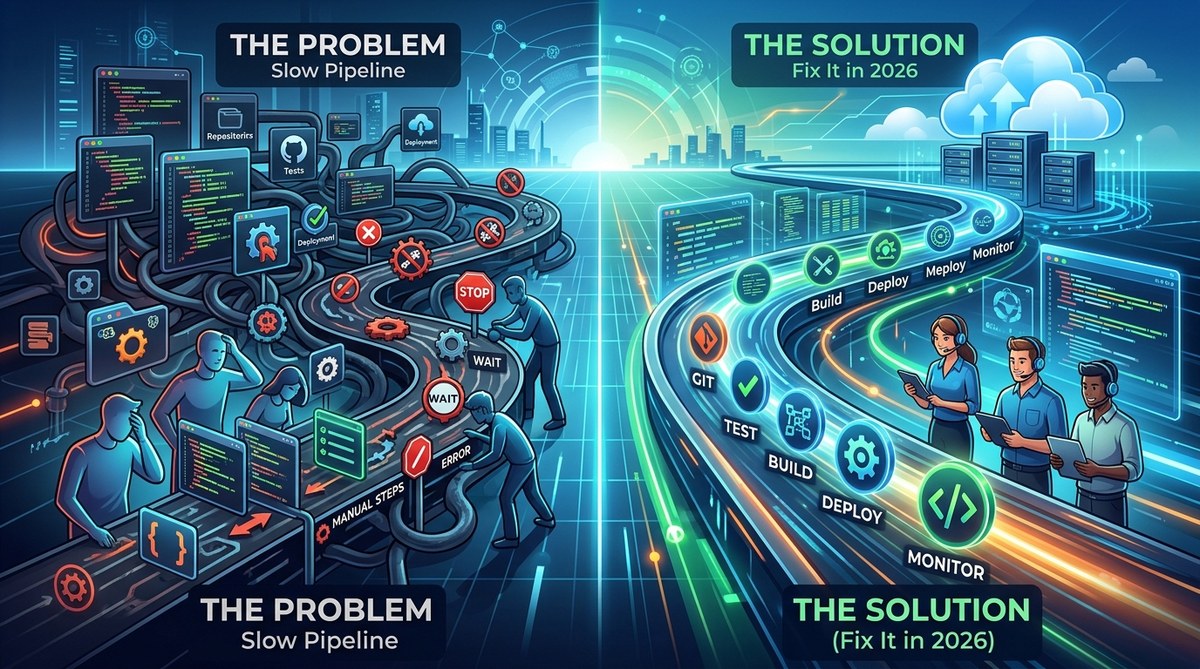
Your team has been waiting on a build for forty five minutes. The pull request was clean. The tests passed locally. But now you are staring at a progress bar that barely moves. You check Slack and see three other developers asking the same question: “Is the pipeline down?”
If this sounds familiar, you are not alone. A sluggish CI/CD pipeline is one of the most frustrating blockers for DevOps engineers and engineering managers in 2026. The good news is that the problem is usually not your team’s velocity. It is the pipeline itself. And you can fix it.
A slow CI/CD pipeline often hides behind too many sequential steps, bloated test suites, and outdated caching strategies. By measuring each stage, parallelizing work, and trimming unnecessary jobs, you can cut deployment time by 60 percent or more. This guide walks through the exact steps to diagnose and fix the bottlenecks.
Why your pipeline feels slower every month
Pipelines start fast. When a project is new, there are few tests, a small codebase, and minimal dependencies. As the team grows, so does the pipeline. Someone adds a new linter. Another person adds a security scan. A third person extends the integration test suite. Each addition seems harmless on its own. But together, they create a chain of delays.
The real issue is that most teams treat the CI/CD pipeline as a black box. They do not measure where time is spent. They only notice when the whole thing slows down. By then, the problem is already baked into the culture.
The three biggest bottlenecks in 2026
After working with dozens of engineering teams, I have seen the same patterns repeat. Here are the most common culprits.
| Bottleneck | Typical symptom | Common cause |
|---|---|---|
| Sequential test stages | Tests run one after another even when they could run in parallel | Pipeline config uses a single job for all test types |
| Bloated dependency cache | Cache grows without limits, causing slow restore and upload times | No cache eviction policy or cache key strategy |
| Oversized build artifacts | Artifacts include debug symbols, logs, or unnecessary files | Build script copies entire workspace instead of specific outputs |
These three issues account for roughly 70 percent of pipeline slowdowns I have seen this year. The fix for each is straightforward.
How to measure before you optimize
Before changing anything, you need data. Most CI/CD platforms provide a timeline view of each job. Use it. Look at the longest running jobs first. Then break down each job into its steps.
Here is a simple process to follow.
- Export the last 50 pipeline runs from your CI platform. Most tools like GitHub Actions, GitLab CI, or CircleCI allow CSV or JSON export.
- Calculate the average duration for each stage: install, build, test, lint, deploy.
- Identify the stage that takes the longest. That is your primary target.
- Check if stages are running sequentially when they could run in parallel. Look for dependencies that are not truly required.
- Review cache restore times. If cache restore takes longer than a fresh install, your cache strategy is broken.
This process takes about an hour. It will give you a clear picture of where the time goes.
Parallelize your test suite the right way
Many teams think they are parallelizing tests, but they are not. They split tests into a few large groups and run them in separate jobs. That helps, but it is not enough.
For real gains, use test splitting based on historical run times. Tools like pytest-xdist for Python, jest --split for JavaScript, or go test --parallel for Go can distribute tests across multiple runners automatically.
A good rule of thumb is to aim for each test job to finish in under five minutes. If a single job takes longer, split it further. Your developers will thank you when they get feedback in minutes instead of waiting for a full suite to finish.
Cache smarter, not harder
Dependency caching is a balancing act. A cache that is too small will miss frequently and force full reinstalls. A cache that is too large will take longer to download than a fresh install.
The fix is to use a cache key that includes your lock file and a hash of your dependency manifest. This ensures the cache is invalidated only when dependencies change. Also, set a maximum cache size. Most platforms let you cap cache at a few hundred megabytes. If your cache exceeds that, you are likely caching build artifacts that should not be there.
“A cache that restores in under 10 seconds is worth having. A cache that takes 30 seconds to restore is a net loss. Measure your cache hit rate and restore time separately.” — Advice from a senior DevOps engineer at a mid sized SaaS company.
Trim your build artifacts
Build artifacts are often the silent killer of pipeline performance. Teams copy the entire project directory into the artifact just to be safe. This includes node_modules, .git folders, and debug symbols.
Instead, define a strict list of files to include. For a typical web application, that might be a single dist folder and a package.json. For a compiled language, it might be just the binary or the JAR file. Smaller artifacts mean faster uploads and faster downloads for deployment.
A practical plan to fix your pipeline in one week
You do not need a month long initiative to speed up your pipeline. Follow this five day plan.
Day one: Measure and identify
Run the measurement process described above. Write down the top three slowest stages. Share them with your team in a brief Slack message. Transparency builds buy in.
Day two: Fix the cache
Update your cache keys to use lock file hashes. Set a maximum cache size. Monitor the next five pipeline runs to see if restore times drop.
Day three: Parallelize tests
Split your test suite into smaller groups based on historical run times. Use your CI platform’s parallel execution feature. Aim for each group to run in under five minutes.
Day four: Trim artifacts
Review your build artifact configuration. Remove unnecessary files. Test the change with a single deployment to staging.
Day five: Review and iterate
Check the average pipeline duration from the last two days. Compare it to the baseline from day one. If you saw a 40 percent improvement, celebrate. If not, pick the next bottleneck from your list and repeat.
Common mistakes that keep pipelines slow
Even with good intentions, teams make these errors.
- Running linters on the entire codebase instead of only changed files. Linters are cheap, but they add up. Use
lint-stagedor similar tools to limit scope. - Building Docker images inside the CI job instead of using a pre built base image. Building from scratch every time is wasteful. Use a registry with cached layers.
- Running end to end tests on every commit. Save E2E tests for merge to main or a nightly schedule. Unit and integration tests provide faster feedback for most changes.
When to consider a different CI platform
Sometimes the pipeline is not the problem. The platform itself may be the bottleneck. If your team has outgrown your current CI provider, look for these signs.
- Queue times are consistently over five minutes during peak hours.
- The platform does not support parallel jobs beyond a low limit.
- Cache storage is limited or slow.
- There is no way to split tests across runners natively.
If two or more of these apply, it may be time to evaluate alternatives. For many teams, switching to a platform that offers better parallelism and faster runners is the single biggest improvement they can make.
Building a culture of pipeline awareness
Speed is not just a technical problem. It is a cultural one. When developers feel the pain of a slow pipeline, they start working around it. They batch commits. They skip tests locally. They push broken code because they know the pipeline will catch it later.
Instead, make pipeline performance a visible metric. Put the average duration on a dashboard. Celebrate when it drops. Treat pipeline speed as a feature, not an afterthought. If you want to go deeper on related topics, check out 10 essential testing strategies for reliable software in 2026 and mastering the art of code review from linting to pair programming in 2026.
Your pipeline can be fast again
A slow CI/CD pipeline does not mean your team is slow. It means your pipeline needs maintenance. Every minute you save on a pipeline run is a minute your developers can spend building features, fixing bugs, or going home on time.
Start with measurement. Fix the cache. Parallelize the tests. Trim the artifacts. And make pipeline speed a shared goal. Your team will thank you. And your deployments will finally feel as fast as they should.